Detecting object distance using Depth Camera and SSD-Mobilenet
Follow along: Detecting object distance using Depth Camera and SSD-Mobilenet
The program launching process along with parameter settings are all simplified and set up on the Jupyter Notebook Environment.
- Open the 01_07_Detect_Object_and_Calculate_Distance.ipynb Jupyter Notebook.
- This code is output by applying numpy and matplotlib.
- This code uses a pre-trained model.
(The Jetson Board used for these examples are => Jetson Nano)
01_07_Detect_Object_and_Calculate_Distance.ipynb
- Running the cell code.Ctrl + Enter
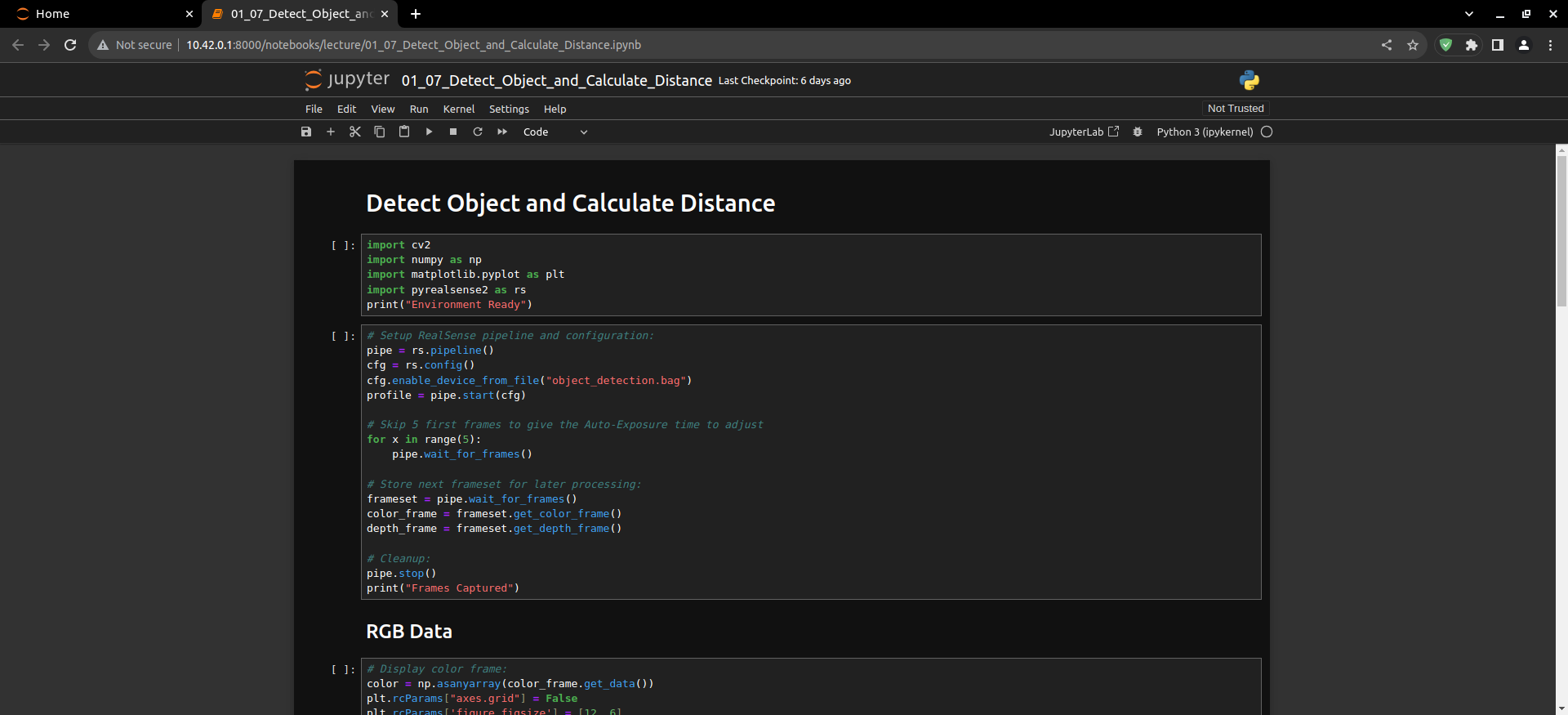
Load the modules needed to run your code.
import cv2
import numpy as np
import matplotlib.pyplot as plt
import pyrealsense2 as rs
print("Environment Ready")
Load the bag file with data and realsense pipeline.
# Setup RealSense pipeline and configuration:
pipe = rs.pipeline()
cfg = rs.config()
cfg.enable_device_from_file("object_detection.bag")
profile = pipe.start(cfg)

# Skip 5 first frames to give the Auto-Exposure time to adjust
for x in range(5):
    pipe.wait_for_frames()

# Store next frameset for later processing:
frameset = pipe.wait_for_frames()
color_frame = frameset.get_color_frame()
depth_frame = frameset.get_depth_frame()

# Cleanup:
pipe.stop()
print("Frames Captured")
Display the loaded image in rgb color.
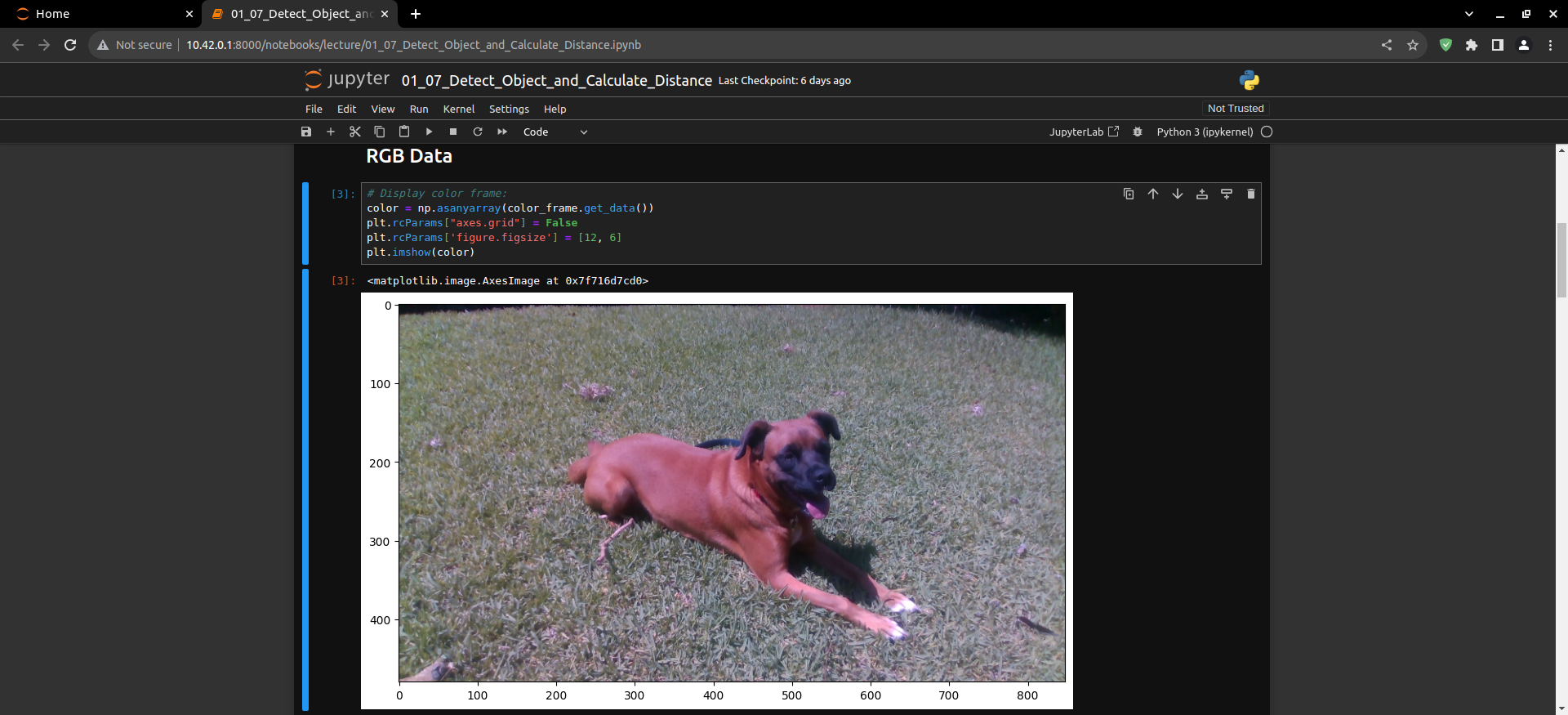
# Display color frame:
color = np.asanyarray(color_frame.get_data())
plt.rcParams["axes.grid"] = False
plt.rcParams['figure.figsize'] = [12, 6]
plt.imshow(color)
Display the loaded image in colorized depth.
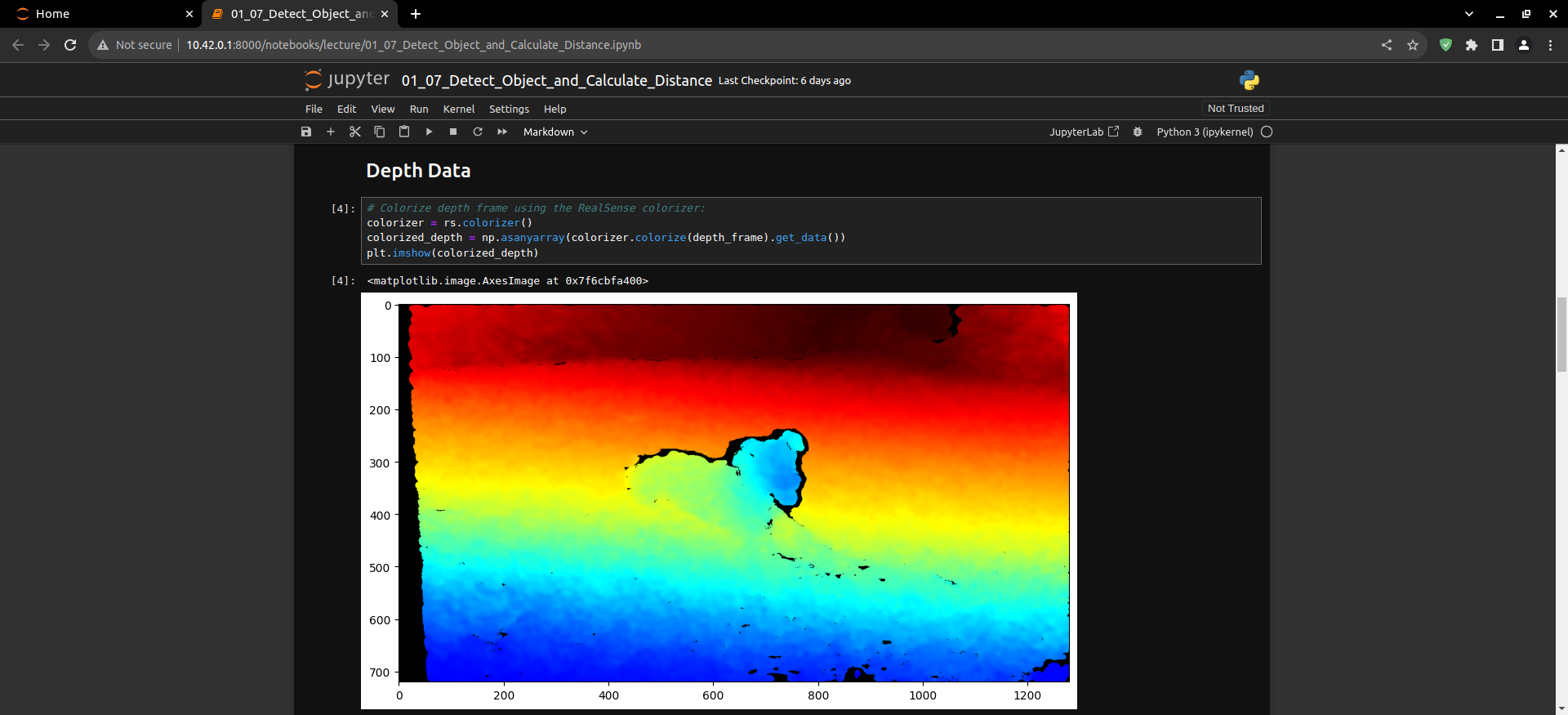
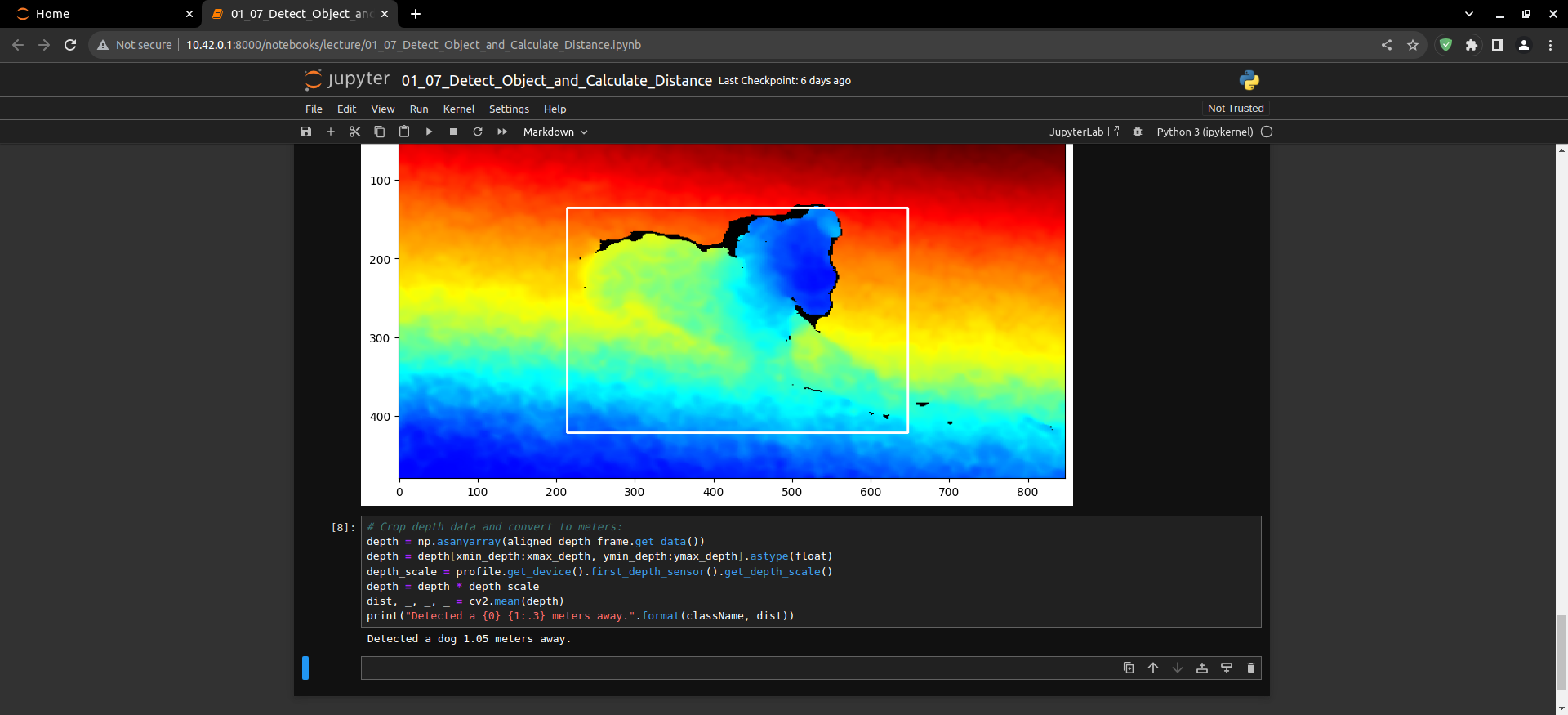
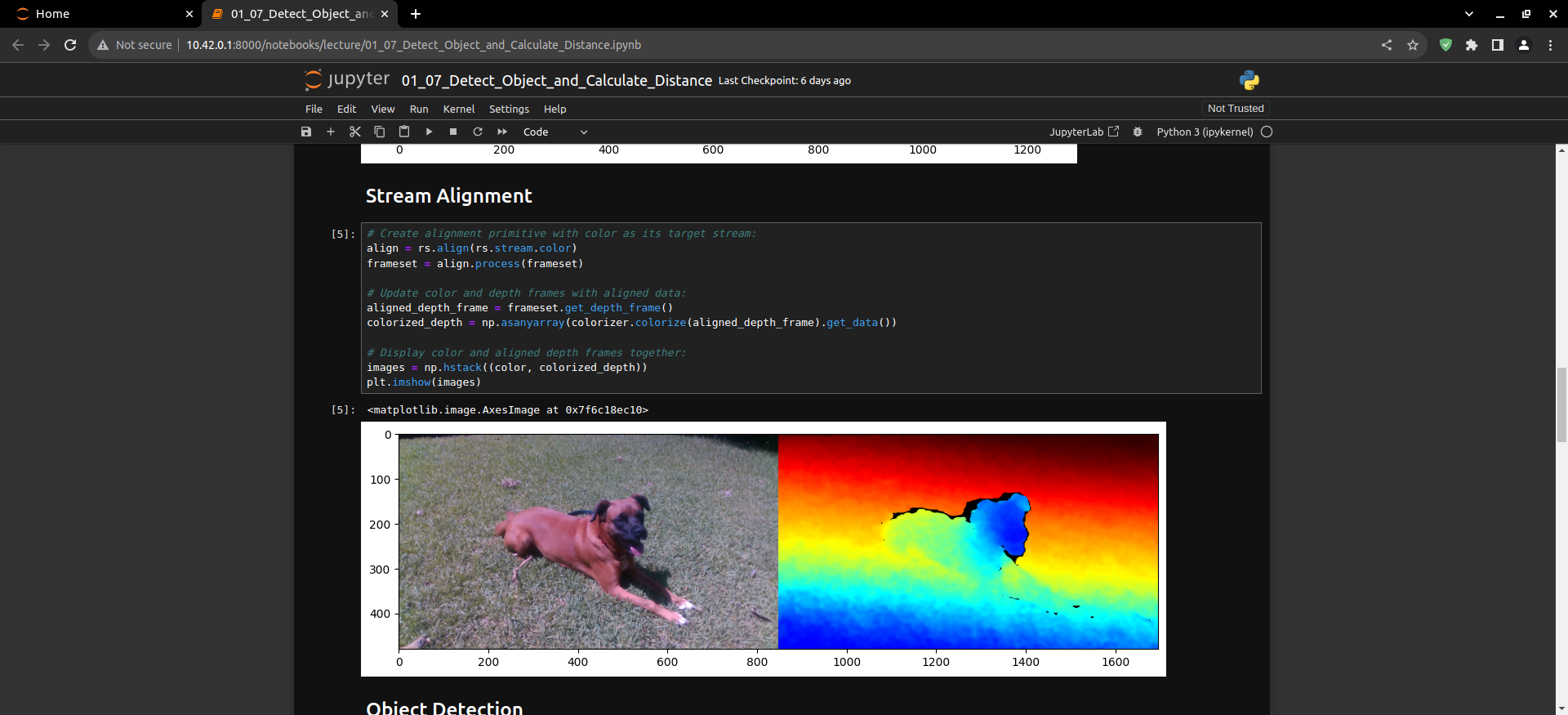
Display an image by comparing an RGB color image to a color depth image.
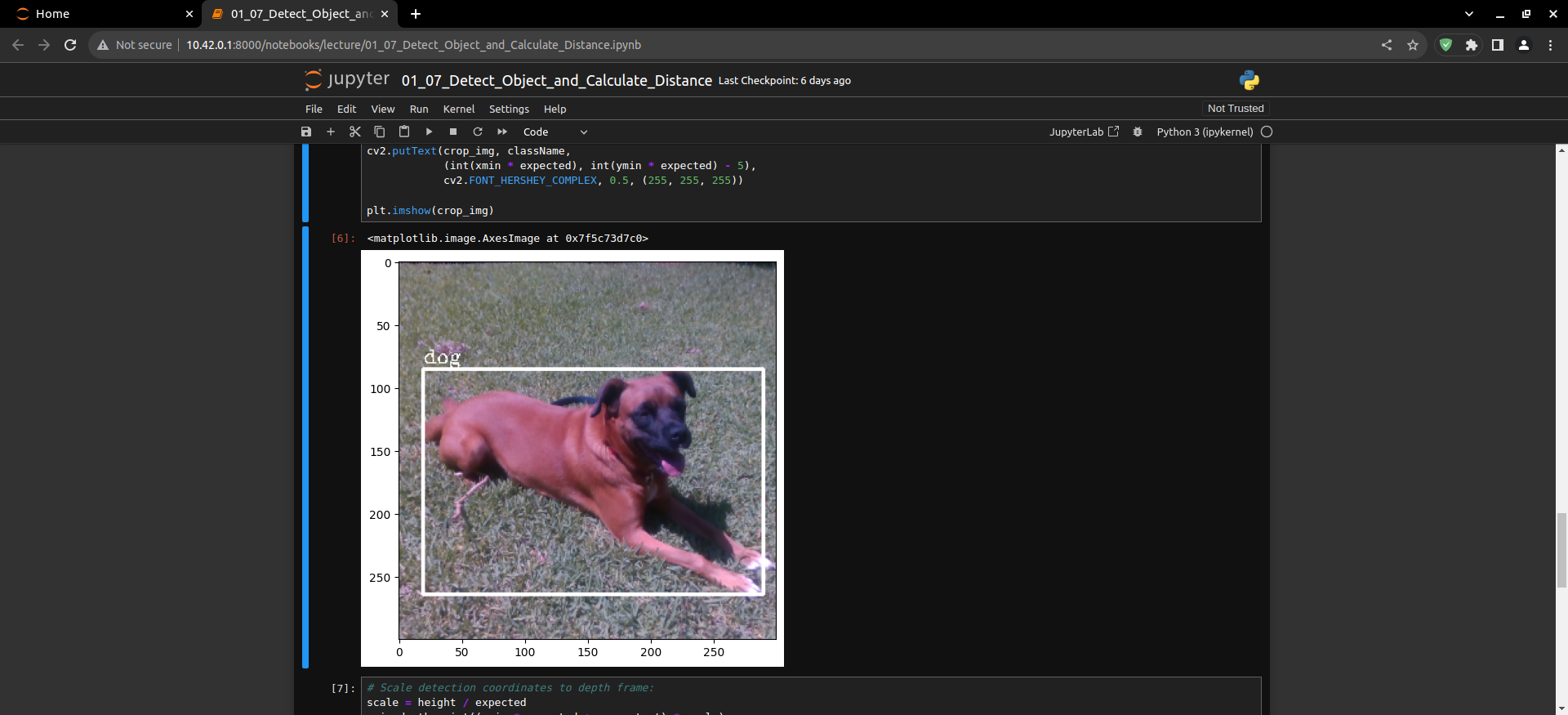
Load the model to use SSD-MobileNet and display the detected class.
Use the depth to guess the size of the detected object.
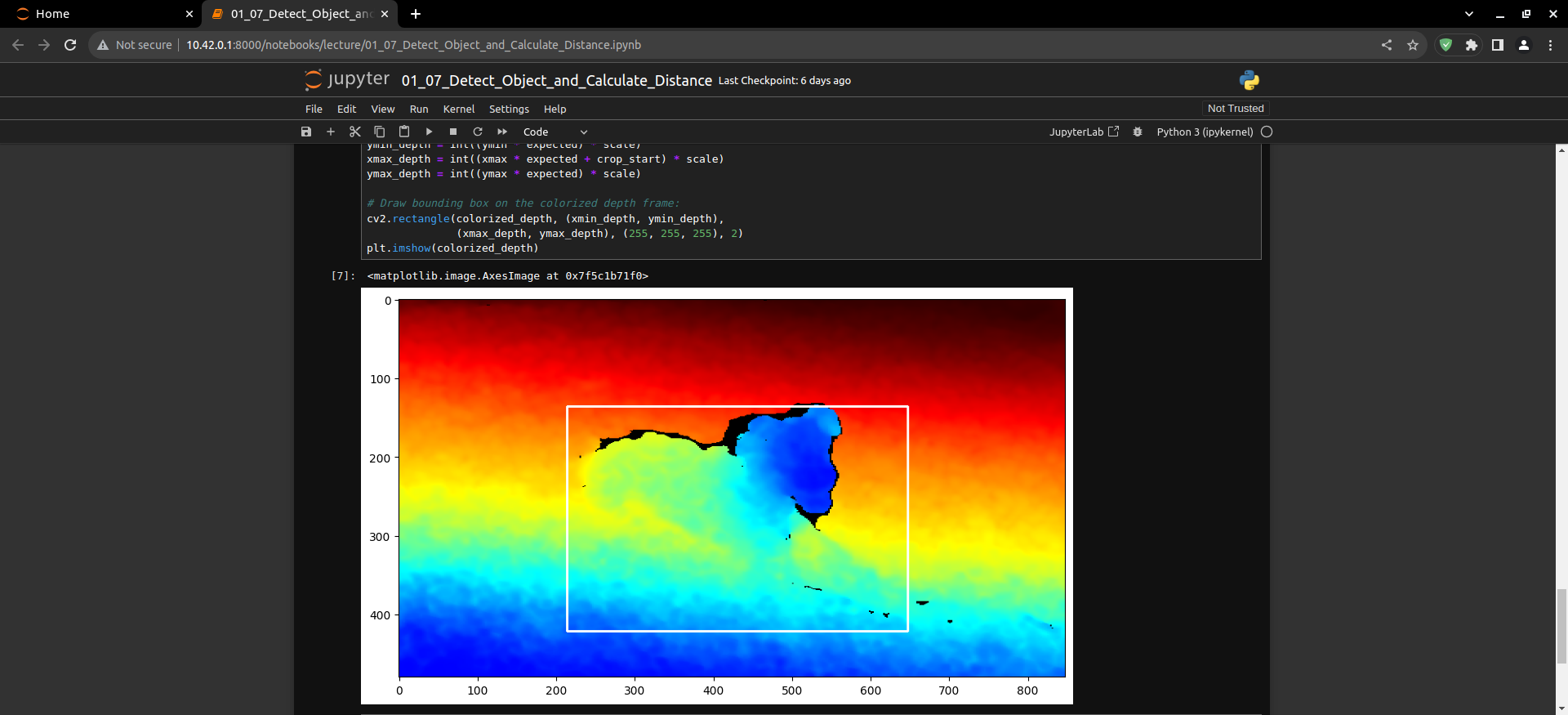
Measure the distance of the detected object.