Compare Color Image and Depth Image via Widget
Follow along: Compare Color Image and Depth Image via Widget
The program launching process along with parameter settings are all simplified and set up on the Jupyter Notebook Environment.
- Open the 01_06_Depth_Comparison_2.ipynb Jupyter Notebook.
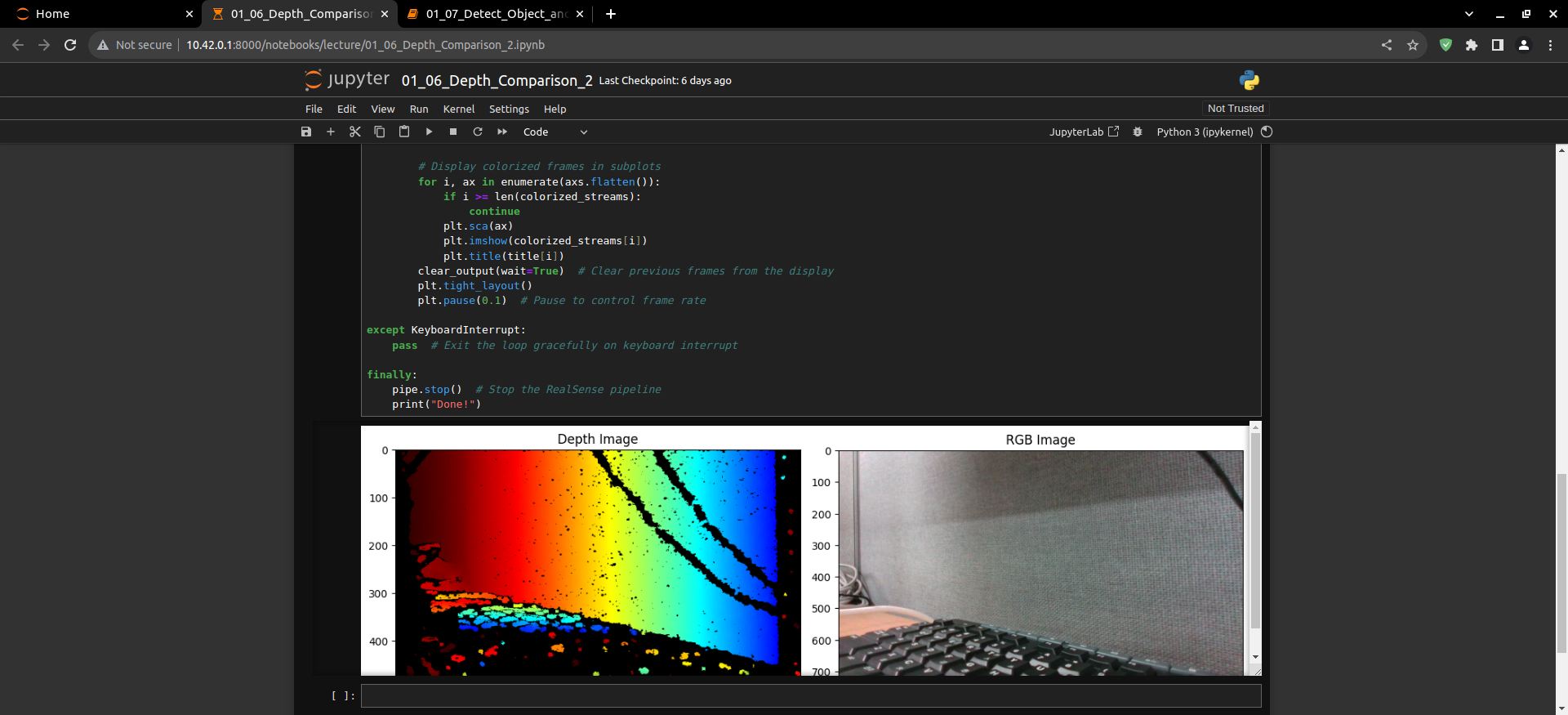
- Compares the rgb image and the depth image and outputs it to the display via jupyter notebook.
(The Jetson Board used for these examples are => Jetson Nano)
01_06_Depth_Comparison_2.ipynb
- Running the cell code.Ctrl + Enter
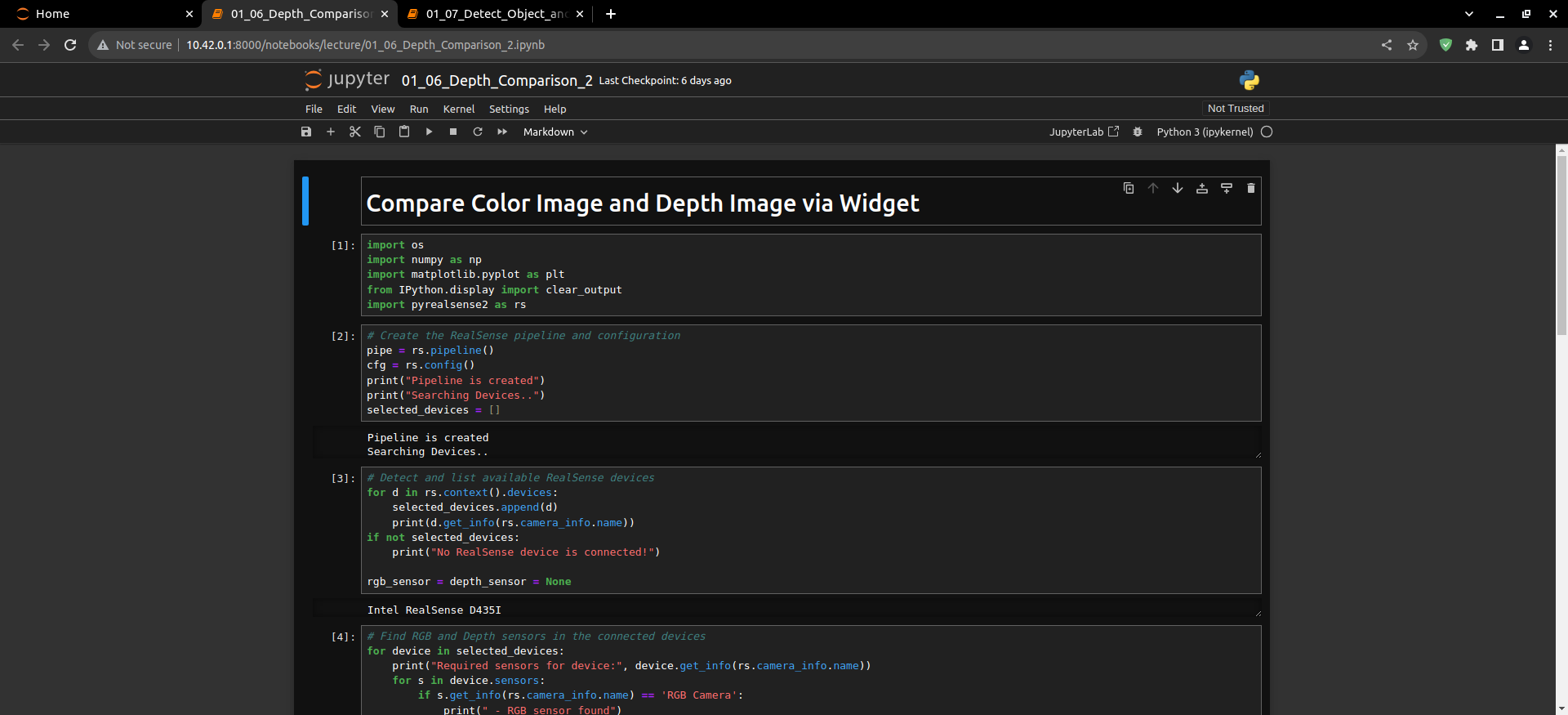
Load the modules needed to run your code.
import os
import numpy as np
import matplotlib.pyplot as plt
from IPython.display import clear_output
import pyrealsense2 as rs
Create the RealSense pipeline and configuration.
# Create the RealSense pipeline and configuration
pipe = rs.pipeline()
cfg = rs.config()
print("Pipeline is created")
print("Searching Devices..")
selected_devices = []
Detect and list available RealSense devices.
# Detect and list available RealSense devices
for d in rs.context().devices:
    selected_devices.append(d)
    print(d.get_info(rs.camera_info.name))
if not selected_devices:
    print("No RealSense device is connected!")

rgb_sensor = depth_sensor = None
Find RGB and Depth sensors in the connected devices.
# Find RGB and Depth sensors in the connected devices
for device in selected_devices:
    print("Required sensors for device:", device.get_info(rs.camera_info.name))
    for s in device.sensors:
        if s.get_info(rs.camera_info.name) == 'RGB Camera':
            print(" - RGB sensor found")
            rgb_sensor = s
        if s.get_info(rs.camera_info.name) == 'Stereo Module':
            depth_sensor = s
            print(" - Depth sensor found")

colorizer = rs.colorizer()
Start the RealSense pipeline.
# Start the RealSense pipeline
profile = pipe.start(cfg)
Create a figure for displaying frames and display.
# Create a figure for displaying frames
fig, axs = plt.subplots(nrows=1, ncols=2, figsize=(12, 4))
title = ["Depth Image", "RGB Image"]

try:
    while True:  # Enter a continuous loop for image display
        frameset = pipe.wait_for_frames()

        depth_frame = frameset.get_depth_frame()
        color_frame = frameset.get_color_frame()

        colorized_streams = []
        if depth_frame:
            colorized_streams.append(np.asanyarray(colorizer.colorize(depth_frame).get_data()))
        if color_frame:
            colorized_streams.append(np.asanyarray(color_frame.get_data()))

        # Display colorized frames in subplots
        for i, ax in enumerate(axs.flatten()):
            if i >= len(colorized_streams):
                continue
            plt.sca(ax)
            plt.imshow(colorized_streams[i])
            plt.title(title[i])
        clear_output(wait=True)  # Clear previous frames from the display
        plt.tight_layout()
        plt.pause(0.1)  # Pause to control frame rate

except KeyboardInterrupt:
    pass  # Exit the loop gracefully on keyboard interrupt

finally:
    pipe.stop()  # Stop the RealSense pipeline
    print("Done!")
If executed correctly, the following window will appear on the Jupyter Notebook.